
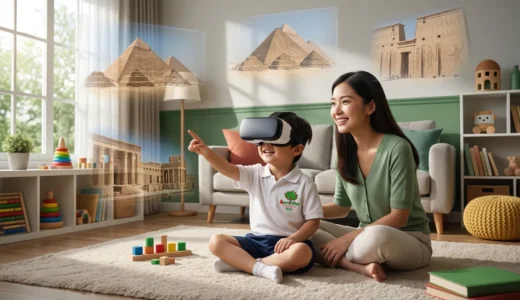
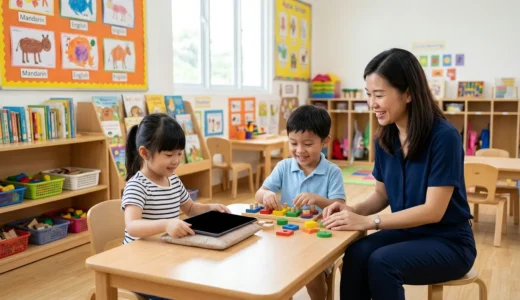
Shopping for tablets for kids can feel weirdly stressful for something so small. One moment you are thinking, “It is just a tablet, how complicated can this be?” and five minutes later you are knee deep in reviews about screen size, parental controls, app safety, and whether the thing can survive one dramatic drop from the sofa. At Apple Tree Preschool BSD, located in Educenter BSD Building, we often hear parents ask the same question, “How do we choose a tablet that is actually safe and useful for our child?”
It is a fair question, because not every tablet marketed to children is a great choice. Some are packed with flashy features but weak safety settings. Others look child friendly on the outside, then quietly make life harder for parents behind the scenes. If you are planning to buy one, it helps to know what really matters before you spend your money on something that turns into a daily headache.
Tablets for Kids Should Be Safe Before They Are Fun
Let us be honest, children do not usually care about security settings. They care about bright colors, funny sounds, and whether the game has a dinosaur in it. We care about the other stuff, like privacy, content control, screen time limits, and whether the device encourages healthy use instead of endless scrolling.
When choosing tablets for kids, safety should come first. Fun matters too, of course, but fun without boundaries tends to get messy quickly. We have all seen what happens when “just ten minutes” turns into a full family negotiation before dinner.
Look for strong parental controls
This is one of the biggest things to check. A safe tablet should let you control what your child can access, how long they can use it, and which apps they are allowed to open. If those settings are hard to find or confusing to manage, that is already a warning sign.
Good parental controls should help you:
- Set daily screen time limits
- Block inappropriate websites and videos
- Approve or reject app downloads
- Monitor usage without needing a detective badge
- Create child specific profiles
If a device makes all of this easy, you are already on the right track. Parents are busy enough without needing a three hour tutorial just to turn off autoplay.
Choose content access carefully
Some tablets come with open access to the internet or app stores, which is not ideal for young children. A safer option is a tablet that allows you to create a walled garden, where only selected content is available. That gives your child some independence while still keeping you in control.
We always remind parents that the device itself is only part of the picture. What your child can do on it matters even more. A tablet becomes much safer when the content is filtered, age appropriate, and connected to learning rather than pure digital chaos.

What to Check Before Buying Tablets for Kids
A tablet can look perfect in the advertisement and still be a poor match for your child. That is why it helps to think practically. Instead of asking, “Which one is the fanciest?” ask, “Which one will actually work well for our family?”
Durability matters more than fancy design
Young children are wonderful, curious, and not always gentle with electronics. If the tablet feels fragile in your hands, imagine what will happen when your child carries it around like a tray of invisible noodles. Durability matters.
Look for features like:
- A sturdy case
- Drop resistance
- Scratch resistant screen protection
- Easy grip design
- Simple buttons that little hands can manage
A beautiful tablet is nice. A tablet that survives preschool level enthusiasm is even better.
Battery life and screen quality affect daily use
A short battery life can create more frustration than you expect. If the device constantly needs charging, children get irritated, parents get irritated, and somehow the charger disappears into another dimension. A good battery gives you more flexibility and fewer interruptions.
Screen quality matters too. You want something clear and comfortable to view, without being overly harsh on the eyes. Brightness controls and blue light settings can be helpful, especially if the tablet is sometimes used in the late afternoon.
Pick a size your child can actually handle
Bigger is not always better. Tablets for kids should be light enough for little hands to hold comfortably, but large enough for learning apps, storybooks, and guided activities. If the device is too heavy, children may drop it more often or lose interest quickly.
For preschoolers, comfort and simplicity usually win. You do not need a massive screen that feels like a family television shrunk into a rectangle. You need something manageable, practical, and easy to use.
Educational Value Should Be Part of the Decision
A safe tablet should do more than entertain. It should also support meaningful learning when used in moderation. That does not mean every app has to be serious or silent, because let us not pretend children are begging for a digital worksheet after lunch. It does mean the device should allow room for creativity, problem solving, language development, and guided exploration.
Choose tablets that support learning apps
Before buying, check whether the tablet supports good educational apps, e books, drawing tools, phonics games, and early numeracy activities. Preschoolers learn best when activities are interactive, playful, and easy to follow. A good device should make that possible without overwhelming them with ads or distractions.
At Apple Tree, we believe the best learning happens through a balance of play, conversation, movement, and hands on experiences. Technology can support that when used wisely, but it should never replace real interaction, real materials, and real people.
Avoid devices that reward endless passive watching
If a tablet mostly encourages your child to sit back and watch random videos one after another, it may not be the best choice. Passive screen time can easily stretch too long, especially when platforms are designed to keep children clicking. Interactive learning is a better direction.
That is why many parents choose tablets that make it easier to download selected apps and harder to wander into endless content. A little friction can actually be very helpful when you are raising a curious preschooler.

How to Use Tablets for Kids Without Losing Balance
Even the safest tablet still needs healthy boundaries. The goal is not to hand your child a perfect device and hope for the best. The goal is to create a routine where technology fits into family life without taking over the whole house.
Here are a few habits that help:
- Use the tablet in shared family spaces
- Set clear times for use, not all day access
- Join your child sometimes and talk about what they are doing
- Balance screen time with outdoor play, books, and conversation
- Keep devices away during meals and before bedtime
We have found that children do best when adults stay involved. A tablet works better as a tool than as a babysitter. That difference may sound small, but it changes everything.
A Smart Choice Starts With the Right Support
Choosing tablets for kids is really about choosing what kind of digital experience you want your child to have. A safe tablet should protect your child, support learning, and fit naturally into a balanced routine. It should make life easier, not create new battles over content, safety, or screen time.
If you want your child to grow in a warm, engaging environment where learning goes far beyond a screen, we would love to welcome you to Apple Tree Preschool BSD. You can explore our programs to find the right class for your little one. If you would like to learn more, Chat with us on WhatsApp or call us at +62 888-1800-900. Come play and learn with other children, and let us grow smart and happy together.



Be the first to write a comment.