
Last Tuesday, we watched something incredible unfold in our Kindergarten 2 class. Little Emma, who’d been struggling with letter recognition for weeks, suddenly lit up while using our interactive tablet. “Miss! I found all the A’s! They’re everywhere!” she exclaimed, bouncing in her seat as colorful letters danced across the screen. What struck us wasn’t just her excitement, it was how technology had finally clicked the puzzle piece into place.
Here’s the thing about kids and technology: they’re digital natives living in an analog world of traditional teaching. We’ve learned at Apple Tree Pre-School BSD that the magic happens when you blend the best of both worlds. The right tech tools don’t replace good teaching, they supercharge it.
But let’s be honest, navigating the world of educational technology can feel overwhelming. Walk into any electronics store, and you’ll be bombarded with promises that every gadget will turn your toddler into the next Einstein. Spoiler alert: it won’t. However, the right tools, used thoughtfully, can absolutely transform how your child learns and grows.
Why Technology Tools Matter in Early Childhood Learning
We used to be skeptical about screen time for little ones. But after years of watching children thrive with carefully chosen technology tools, we’ve completely changed our tune. The key word here is “carefully chosen.”
Modern educational technology offers something traditional methods sometimes can’t: instant feedback, personalized pacing, and engagement that keeps kids coming back for more. When three-year-old Marcus finally grasped counting to ten using our interactive number app, his confidence soared. He went from avoiding math activities to asking for “number time” every single day.
The secret sauce isn’t the technology itself, it’s how it’s integrated into meaningful learning experiences. At our location in the Educenter BSD Building, we’ve seen firsthand how the right tech tools can support different learning styles, help children with special needs, and even bring shy kids out of their shells.
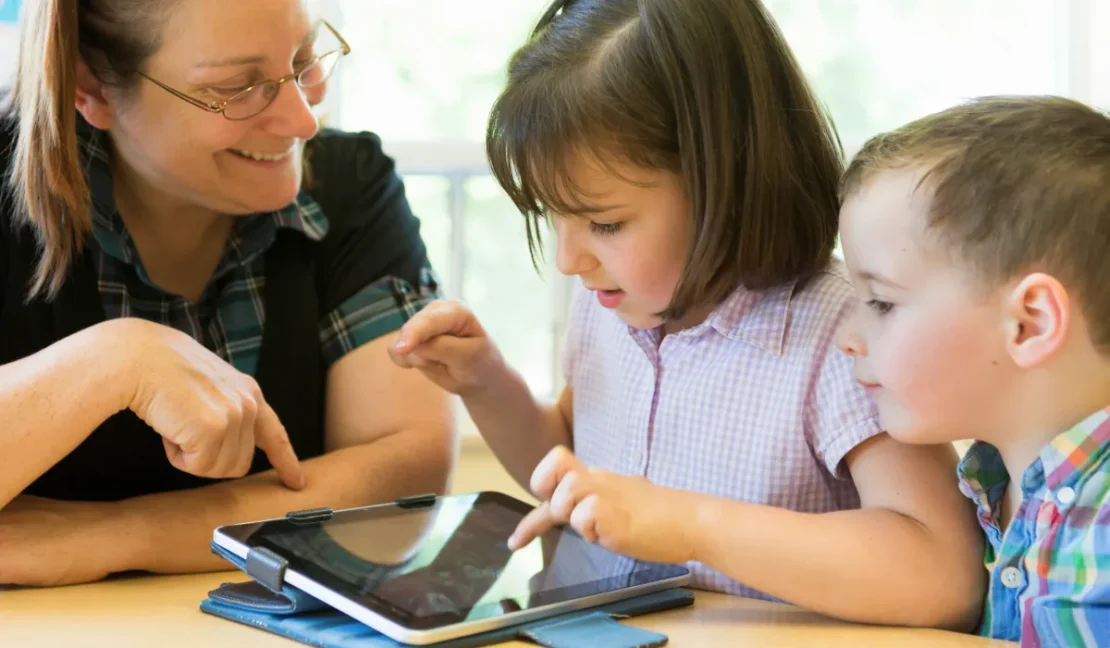
Image Source: Canva
Age-Appropriate Technology Tools That Actually Work
Interactive Learning Tablets for Toddlers and Pre-Nursery
Let’s start with the obvious choice: tablets designed specifically for young learners. We’re not talking about handing your two-year-old your expensive iPad and hoping for the best. Child-specific tablets come with robust cases, time controls, and curated content that grows with your child.
In our Toddler classes, we use tablets loaded with apps that focus on cause and effect, basic colors, and simple matching games. The beauty of these tools is that they respond to touch in ways that feel magical to little fingers. When a toddler touches a virtual dog and it barks, giggles inevitably follow.
The key is choosing tablets with educational content that aligns with early learning goals. Look for options that include phonics games, number recognition activities, and creative tools that let kids “draw” with their fingers.
Interactive Smart Boards for Group Learning
This technology has been a game changer in our Nursery and Kindergarten classes. Interactive smart boards turn any wall into a collaborative learning space where children can physically touch, move, and manipulate digital objects.
Picture this: during our weather unit, kids can drag clouds across a digital sky, make it rain with the touch of their fingers, and watch flowers grow in real-time. It’s like having a window into any environment or concept you want to explore. The collaborative aspect means shy children often find their voice when they’re focused on the interactive element rather than being put on the spot.
These boards also accommodate different learning styles beautifully. Visual learners love the bright, dynamic displays. Kinesthetic learners get to move and touch. Even auditory learners benefit from the sound effects and verbal feedback these systems provide.
Coding Toys That Don’t Feel Like Coding
Here’s where it gets really cool. Companies have created toys that teach basic programming concepts without screens. Think robot mice that follow commands, or colorful blocks that create simple sequences when arranged in order.
Our Kindergarten 1 students absolutely love our “robot adventures” where they program a small robot to navigate through obstacle courses they build themselves. They’re learning logical thinking, problem-solving, and basic programming concepts, but to them, it just feels like playing with the coolest toy ever.
These toys bridge the gap between digital and physical play beautifully. Kids get the satisfaction of seeing their “code” come to life in the real world, which reinforces the connection between thinking and doing.
Educational Apps That Grow With Your Child
The app market for children’s education is enormous, but quality varies dramatically. After testing dozens of apps across our different age groups, we’ve identified some key features that make apps truly valuable for learning.
Great educational apps adapt to your child’s pace, provide positive reinforcement without being overwhelming, and align with developmental milestones. They should also include some form of progress tracking so you can see how your child is developing specific skills over time.
Our current favorites include apps that combine storytelling with interactive elements, allowing children to become part of the narrative while learning new vocabulary or practicing phonics skills.
How We Integrate Technology at Apple Tree Pre-School BSD
Technology integration isn’t about replacing human interaction, it’s about enhancing it. In our classrooms, tech tools serve specific purposes within our broader Singapore-based curriculum framework.
During our English lessons, we might use interactive storytelling apps that let children choose different story paths, building both reading comprehension and decision-making skills. For Mathematics, manipulative apps help children understand concepts like addition and subtraction by allowing them to visually move objects around the screen.
But here’s what we’ve learned: technology works best when it’s social. Rather than isolating children with individual devices, we create opportunities for collaborative tech experiences. Two children working together to solve a puzzle on a tablet learn cooperation, communication, and shared problem-solving.
Screen Time Balance That Actually Works
Parents often ask us about screen time limits, and honestly, it’s the wrong question. The better question is: what kind of screen time? Thirty minutes of educational, interactive content where your child is actively engaged is infinitely more valuable than two hours of passive cartoon watching.
We recommend the “20-20-20” rule for young children: 20 minutes of focused educational screen time, followed by 20 minutes of physical activity, then 20 minutes of creative or imaginative play. This rotation keeps kids engaged without overwhelming their developing attention spans.
Image Source: Canva
Making Technology Work at Home
The most successful tech integration happens when home and school work together. We encourage parents to choose 2-3 high-quality apps or tools rather than overwhelming children with too many options.
Create a designated “learning tech” time that feels special and purposeful. Just like we do at school, make technology use interactive and social when possible. Sit with your child, ask questions about what they’re doing, and celebrate their discoveries.
Remember, you don’t need the latest and greatest gadgets. Some of our most effective learning happens with simple tools used creatively. A basic tablet with thoughtfully chosen apps can provide months of educational value.
Technology tools for kids’ learning have the power to unlock potential we never knew existed. But like any tool, they’re only as good as how we use them. When integrated thoughtfully into a rich learning environment that values human connection, creativity, and play, technology becomes a bridge to deeper understanding and genuine excitement about learning.
At Apple Tree Pre-School BSD, we’ve seen technology transform not just how children learn, but how they see themselves as learners. And that confidence, that spark of curiosity, that willingness to explore and experiment? Those are the real gifts that good educational technology can provide.
Ready to see how we blend technology with traditional learning to create magical educational experiences? We’d love to show you around our classrooms and demonstrate how our carefully chosen tech tools support every aspect of your child’s development. Send us a WhatsApp message or give us a call at +62 888-1800-900.
Come play and learn with other children, because the future of learning is here, and it’s more exciting than ever!