

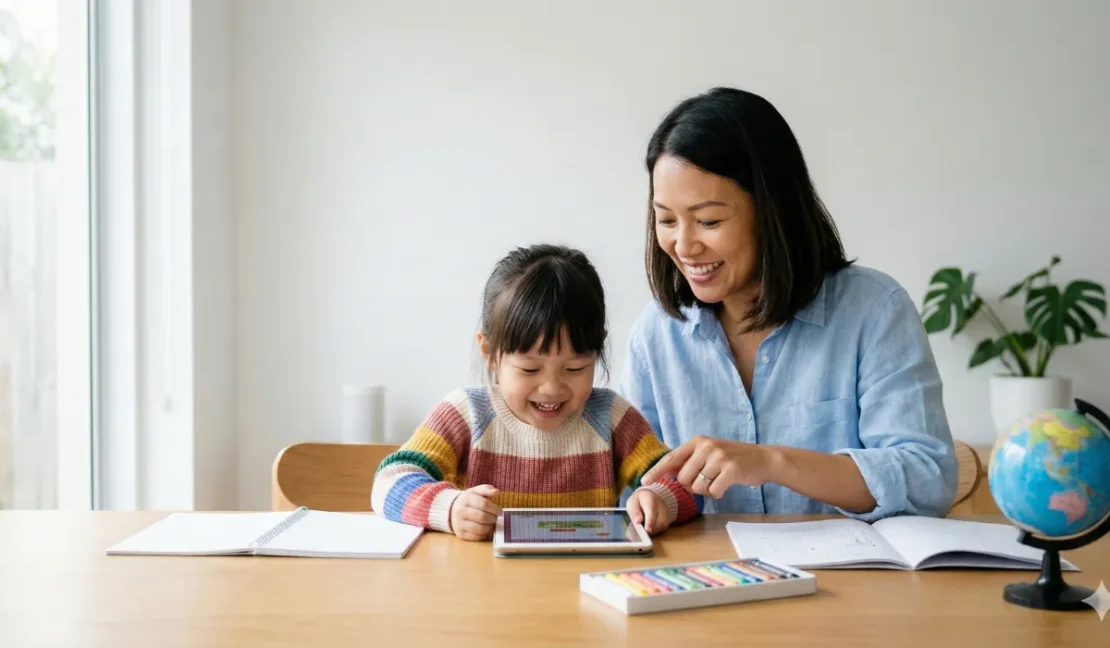
Last Tuesday, I watched something remarkable happen in our classroom at the Educenter BSD Building. A four-year-old girl was using a learning app on a tablet, and she absolutely lit up when she solved a puzzle correctly. The app gave her instant feedback with encouraging sounds and colorful animations. She clapped her hands and immediately wanted to try the next level. What struck me most wasn’t the technology though, it was her genuine joy in learning and solving problems independently. That moment reminded me why gadget parenting tips matter so much in today’s world.
Here’s the thing about gadgets and parenting, we can’t simply ignore them or pretend they don’t exist in our children’s lives. Technology is everywhere, and completely avoiding it isn’t realistic anymore. Instead, the real challenge is figuring out how to use gadgets smartly to actually support your child’s learning and development. Gadget parenting tips help you navigate this tricky landscape without guilt or stress. At Apple Tree Pre-School BSD, we’ve learned that when used intentionally, technology becomes a powerful learning tool rather than just a distraction.
You probably feel torn sometimes, right? You want your child to learn using modern tools, but you’re also worried about screen time and whether gadgets are actually helpful. The good news is that gadget parenting tips actually work, and we’re going to walk you through practical strategies that real educators use. Technology can support your child’s learning in remarkable ways when you approach it thoughtfully. Let’s explore how to make gadgets work for your family’s learning goals, not against them.
Understanding How Gadgets Can Support Your Child’s Learning
When we talk about gadget parenting tips, we’re really discussing how technology fits into your child’s overall development. Gadgets offer something traditional toys and books simply can’t provide, immediate interactive feedback. Your child taps the screen, something happens instantly, and they learn cause and effect naturally. This interactive element keeps young learners engaged and motivated in ways that feel like play rather than work. Educational apps can make learning phonics, numbers, or new languages feel like games your child actually wants to play.
Gadgets also provide personalized learning experiences that adapt to your child’s pace and abilities. Unlike a one-size-fits-all worksheet, quality apps adjust difficulty levels based on your child’s performance. If your child struggles with a concept, the app simplifies it and offers more practice. If they master something quickly, the app moves them forward to new challenges. This tailored approach means your child never feels bored or overwhelmed. Gadget parenting tips emphasize finding tools that grow with your child’s abilities and keep them in that sweet spot of challenge and success.
Research shows that educational technology can enhance learning outcomes when used appropriately. Studies indicate that interactive learning apps help children retain information better than passive viewing. The combination of visual, auditory, and kinesthetic engagement works powerfully for young brains. However, quality matters enormously, not all apps are created equal for learning purposes. Some are genuinely educational while others are just disguised entertainment. Smart gadget parenting tips help you distinguish between high-quality learning tools and apps that simply look fancy.
Choosing Quality Educational Apps and Gadgets for Learning
Finding the right gadget parenting tips starts with knowing what makes an app genuinely educational. Look for apps that have clear learning objectives aligned with recognized curricula. Apps created by educators or educational companies tend to be more thoughtful than those designed purely for entertainment. Check if the app has adjustable difficulty levels that grow with your child. The best tools challenge children appropriately without causing frustration. Read parent reviews and expert recommendations before downloading anything new.
Consider what specific skills or knowledge you want your child to develop through technology. Are you focusing on language learning, mathematical thinking, or creative expression? Different apps excel at different goals, so knowing your target helps tremendously. An app fantastic for learning Mandarin might be terrible for teaching shapes. Gadget parenting tips emphasize matching the tool to your specific learning goal rather than just downloading whatever’s popular. This intentional approach means screen time becomes purposeful learning rather than mindless scrolling.
Safety and privacy should be non-negotiable when choosing gadgets for your child. Check what data the app collects and whether it respects children’s privacy standards. Avoid apps requiring excessive personal information or aggressive advertising. Look for apps with parental controls that let you manage content and screen time limits. Quality educational platforms typically have strong privacy policies because they’re designed with children’s safety in mind. Your child’s security matters far more than any app feature.
Here are essential criteria for selecting quality educational gadgets and apps:
- Clear educational objectives aligned with learning frameworks
- Age-appropriate content that matches your child’s developmental stage
- Interactive elements that engage rather than passively entertain
- Adjustable difficulty levels that grow with your child’s abilities
- Positive feedback and encouragement for effort and progress
- Strong privacy protections and minimal data collection
- Parental controls for managing screen time and content
- No aggressive advertising or in-app purchases targeting children
Image Source: Ai
Setting Healthy Screen Time Boundaries Using Gadget Parenting Tips
Gadget parenting tips absolutely include setting firm limits on screen time, not just choosing better apps. The American Academy of Pediatrics recommends maximum one hour daily for children ages two to five. For younger children, quality matters even more than quantity of screen time. Even the best educational app isn’t beneficial if your child uses it for three hours straight. Boundaries protect your child’s developing brain and ensure gadgets enhance rather than replace other learning activities.
Establish clear rules about when gadgets are and aren’t available in your home. Many families find that screens work best during specific times rather than whenever a child asks. Morning learning sessions before outdoor play often work better than evening screen time. Avoid using gadgets as a way to manage boredom or keep your child occupied while you’re busy. When gadgets become your go-to distraction tool, children learn to expect screens whenever they’re bored. Gadget parenting tips emphasize using technology purposefully, not as a convenient parenting shortcut.
Create tech-free zones and times in your family’s routine for genuine connection and play. Meals should be gadget-free times when families actually talk and connect. Bedtime routines benefit from zero screen time at least an hour before sleep. Outdoor play, creative activities, and physical play matter just as much as educational apps. Your child’s brain needs downtime without screens to process information and develop imagination. Balance is the real key to successful gadget parenting tips, not elimination or excessive use.
Using Gadgets to Encourage Learning Beyond the Screen
Smart gadget parenting tips extend beyond just picking good apps and setting time limits. The most powerful learning happens when you engage with your child while they use educational technology. Sit beside them, ask questions about what tzhey’re learning, and celebrate their discoveries together. This joint engagement transforms screen time from passive consumption into active learning conversation. Your involvement shows your child that you value their learning process and take their accomplishments seriously.
Use gadgets as springboards for deeper learning and real-world exploration. If your child learns about animals on an educational app, visit a zoo or animal sanctuary together. If they practice drawing on a tablet, create art projects together using real materials afterward. If they learn new words in Mandarin through an app, have simple conversations using those words. Gadget parenting tips work best when technology connects to hands-on, real-world learning experiences. Your child’s brain makes stronger connections when learning happens in multiple modalities.
Encourage your child to create and produce rather than only consuming content on gadgets. Some tablets and apps let kids make their own videos, music, or digital art projects. Creating something is far more cognitively demanding and educationally valuable than playing a game. When your child produces content, they’re learning problem-solving, creative thinking, and expression skills. Gadget parenting tips that emphasize creation over consumption lead to deeper learning and greater confidence. You’re teaching your child that technology can be a tool for self-expression, not just entertainment.
Managing Gadget Use in the Preschool Years Effectively
Toddlers and young preschoolers benefit from gadget parenting tips that prioritize social and physical play above all. At ages one to three, children learn primarily through physical exploration and social interaction. Gadgets should complement these activities, not replace them. Even quality apps shouldn’t dominate your toddler’s day when they need crawling, climbing, and playing with peers. Your young child’s brain develops fastest through sensory-rich, hands-on experiences. Technology serves as one learning tool among many, not the primary activity.
For older preschoolers and kindergarteners, gadget parenting tips can expand slightly while maintaining strong boundaries. Children four to six benefit from educational apps targeting specific learning goals like phonics or math. However, these tools should never replace outdoor play, creative art projects, or physical activity. Your child needs movement, fresh air, and real friendships far more than any tablet app. Gadget parenting tips remind us that technology supports development, it doesn’t drive it. You’re the guide directing what technology offers into your child’s overall learning experience.
At Apple Tree Pre-School BSD, we see remarkable learning happening when gadgets supplement but don’t dominate instruction. Our educators use carefully selected educational technology for specific learning moments. A child learning phonics might use an app for ten minutes, then spend thirty minutes in hands-on reading activities. Technology provides one lens into learning, while classroom experiences, peer interaction, and outdoor exploration provide others. This balanced approach helps children develop multiple pathways for understanding new concepts.
Avoiding Common Gadget Parenting Mistakes
One mistake many parents make is using gadgets to manage behavior or emotions rather than support learning. When your child misbehaves, giving them a tablet to settle down teaches them that screens solve problems. They learn to turn to devices when frustrated instead of developing coping skills. Gadget parenting tips emphasize using technology for learning, not behavior management. Your child needs to learn how to manage emotions and frustration without screens handling things for them.
Another common error is assuming that any app labeled “educational” actually delivers learning. Marketing teams are incredibly clever at making entertainment look educational. An app with bright colors and learning themes might not actually teach anything meaningful. Gadget parenting tips require you to look beyond the marketing and evaluate actual content and engagement. Try the app yourself before giving it to your child. Notice whether your child actually learns something or just plays mindlessly for twenty minutes.
Parents sometimes feel guilty about using any screen time at all, creating unnecessary stress. Gadget parenting tips aren’t about perfect zero-screen households, they’re about intentional, balanced use. Quality educational technology appropriately used won’t harm your child’s development. In fact, when selected thoughtfully, it can enhance learning outcomes. The guilt comes from using screens as a lazy parenting shortcut, not from purposeful educational use. Give yourself grace and focus on making intentional choices rather than achieving perfection.

Image Source: Ai
Frequently Asked Questions About Gadget Parenting Tips
Q: How much screen time is actually safe for my young child?
Experts recommend one hour daily maximum for children ages two to five. Children under two benefit most from screen-free learning. Quality matters significantly, so one hour of educational content is better than two hours of random videos. Your pediatrician can provide personalized guidance based on your child’s individual needs.
Q: Which educational apps do educators actually recommend for preschoolers?
Apps like Duolingo Kids for languages, Khan Academy Kids for foundational skills, and Toca Boca series for creative learning come recommended often. Look for apps developed by educational companies or child development experts. The best app for your child depends on their interests and learning goals. Try free versions before purchasing anything.
Q: Should I use gadgets for entertainment or only educational purposes?
Some family entertainment time on screens is fine, but balance matters enormously. Educational use should dominate over pure entertainment. A child who uses apps only for learning misses out on fun and joy. Gadget parenting tips allow some entertainment time while ensuring learning remains the priority.
Q: How do I know if my child is actually learning from an app versus just being entertained?
Observe whether your child applies what they learned to real-world situations. Do they use new words they learned in an app during conversations? Can they solve problems in real life that they practiced on the app? Real learning transfers to other contexts, while entertainment stays confined to screen time.
Q: Can gadgets replace teachers or learning in preschool?
Absolutely not, gadgets supplement teachers never replace them. Human interaction and hands-on exploration remain irreplaceable for young learners. Preschool provides social development, physical play, and peer interaction that no app can offer. Technology supports preschool learning, it doesn’t substitute for it.
Q: My child refuses to do anything but watch videos on devices. How do I handle this?
This indicates your child has become dependent on passive screen consumption. Gradually reduce access to passive videos while introducing more interactive apps. Increase physical play and creative activities. Consider taking a gadget break for a week or two to reset habits. Persistence and consistency matter when changing established patterns.
Making Gadgets Work for Your Family’s Learning Goals
Gadget parenting tips ultimately come down to intentionality and balance in how your family uses technology. Your child benefits most when gadgets support but don’t dominate their learning experience. Technology offers incredible tools for personalized, interactive learning that engages young minds. However, gadgets work best alongside physical play, real relationships, and hands-on exploration. You’re the director of how technology enters your child’s life, and that power matters.
The goal isn’t raising a tech-savvy child at the expense of other important development. Rather, we’re raising children who use technology thoughtfully as one tool among many. Your child learns best when screens support rather than replace genuine learning experiences. Gadget parenting tips help you navigate this balance with confidence and clarity. You’re not behind if you limit screen time, and you’re not advanced if your child uses apps constantly. Smart parenting means making intentional choices aligned with your family’s values.
At Apple Tree Pre-School BSD, we work with families to integrate technology thoughtfully into their children’s learning journeys. Our educators understand both the benefits and limitations of educational technology. We can help you evaluate apps, set healthy boundaries, and use gadgets to support your child’s growth. We believe the best learning happens when technology serves your child’s development, not the other way around.
Ready to use gadget parenting tips that actually work for your family? Start this week by evaluating the apps your child currently uses with fresh eyes. Ask yourself whether each one truly supports learning or just provides entertainment. Choose one quality educational app aligned with your child’s interests and learning goals. Send us a WhatsApp message or call us at +62 888-1800-900 to discuss how we approach technology in our classrooms.
Come visit our classrooms at the Educenter BSD Building and see how we balance technology with hands-on learning. Our Toddler through Kindergarten programs incorporate thoughtfully selected educational tools alongside creative play and physical activities. Register now and join a community of families prioritizing smart, balanced learning for their children. Let’s raise children who use technology wisely to support their growth and happiness together! 💻👧🌟